---
title: 'Angular2: filtering ngFor using pipes'
url: https://blog.octoperf.com/angular2-filtering-ngfor-using-pipes/
date: '2016-04-05'
authors:
- gpereira
categories:
- Development
tags:
- Angular
- Typescript
description: How to filter the content of a table using pipes in Angular2.
---
# Angular2: filtering ngFor using pipes
## Angular2 / Bootstrap4 table
I'm still working on a Stripe administration console for [OctoPerf, a SaaS performance testing tool](https://octoperf.com).
Stripe lets us manage our customers and their subscriptions.
I have a table that lists all of our customers (`Customers.html`):
```html
| # |
Id |
Email |
| {{i}} |
{{customer.id}} |
{{customer.email}} |
```
It's an Angular2 application build using this [excellent starter](https://github.com/angularclass/angular2-webpack-starter) with BootStrap 4.
## Filtering the content using a Pipe
Our goal is to filter the customers by their email. The first step is to create a _PipeTransform_ implementation:
```javascript
import {Injectable, Pipe, PipeTransform} from 'angular2/core';
import {Customer} from '../services/Customer';
@Pipe({
name: 'customerEmailFilter'
})
@Injectable()
export class CustomerEmailFilter implements PipeTransform {
transform(customers: Customer[], args: any[]): any {
return customers.filter(customer => customer.email.toLowerCase().indexOf(args[0].toLowerCase()) !== -1);
}
}
```
It's pretty much like the AngularJS filters. The transform method takes a _customers_ array and some _args_ as parameters and filters the array depending on the arg value.
**Note:**
> We don't have to set a type like `customers: Customer[]` to the transformed list. We could also create a more generic filter using an object array: `items: any[]`.
## Using the Pipe in our table component
To use the email filter in our Customers table component we must declare it in the annotation:
```javascript
import {Component} from 'angular2/core';
import {StripeClient} from '../services/StripeClient';
import {Customer} from '../services/Customer';
import {CustomerEmailFilter} from './CustomerEmailFilter';
@Component({
selector: 'customers',
pipes: [CustomerEmailFilter],
providers: [],
directives: [],
styles: [require('./Customers.css')],
template: require('./Customers.html'),
})
export class Customers {
private customers: Customer[];
private email: string = '';
constructor(private client: StripeClient) {
this.customers = [];
}
ngOnInit() {
this.client.getCustomers((customers: Customer[]) => {
this.customers = customers;
});
}
}
```
The `pipes: [CustomerEmailFilter],` line allows us to use `customerEmailFilter` in the `Customers.html` file.
We also declare a field `email` that holds the value for the filter argument.
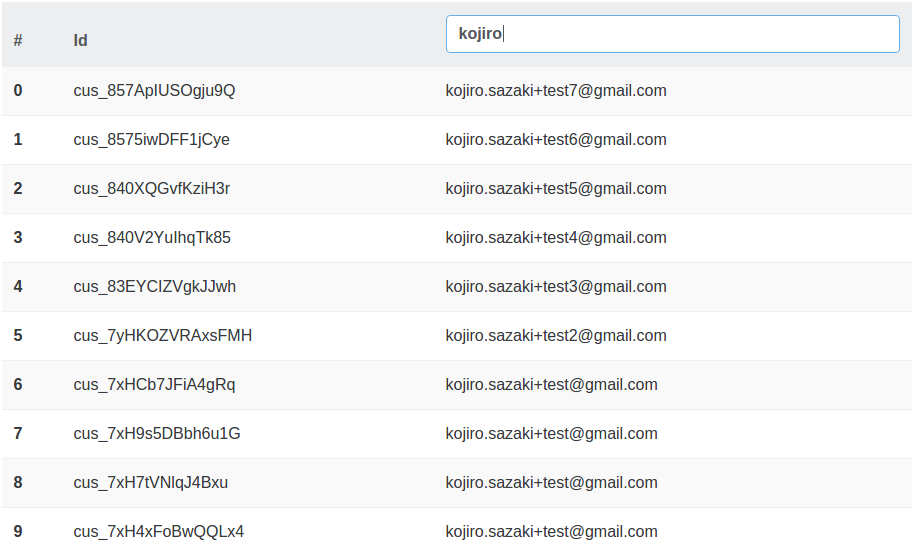
The resulting html file has an input text in the table header. It allows the user to set the filter value: `[(ngModel)]="email"`.
```html
```
And the ngFor is now filtered: `*ngFor="#customer of customers | customerEmailFilter:email`.
**Notes:**
> * `customerEmailFilter` is the name of the _CustomerEmailFilter_ declared in the @Pipe annotation.
> * `:email` refers to the email field of the _Customer_ component.
The resulting table: