JMX Import Made Complete with Scenario Configuration
When migrating from JMeter to OctoPerf, teams have always appreciated how smoothly their JMX files import into our platform. But there was one piece missing: the runtime configuration. Until now, you had to manually recreate your load profiles and scenarios after importing your scripts.
Today, we're excited to announce a feature that makes JMeter migration even smoother: the Import Scenario option. Now you can import not only your Virtual Users (the design part) but also your complete runtime configuration directly from your JMX Thread Groups.
What's New?
Previously, when you imported a JMX file into OctoPerf, only the test design was imported: HTTP requests, extractors, assertions, and all the elements that define your virtual user behavior. The runtime configuration - how many users, ramp-up periods, duration - had to be configured manually in OctoPerf's scenario editor.
The new Import Scenario option bridges this gap. Enable it during import, and OctoPerf will automatically:
- Create dedicated User Profiles for each Thread Group,
- Generate a complete scenario with all your load profiles,
- Convert Thread Group configurations into OctoPerf runtime settings,
- Apply smart defaults for geographical distribution.
Table of Contents
How It Works
The import process analyzes your JMX Thread Groups and intelligently converts them into OctoPerf's load model. Here's what happens behind the scenes:
User Profile Generation
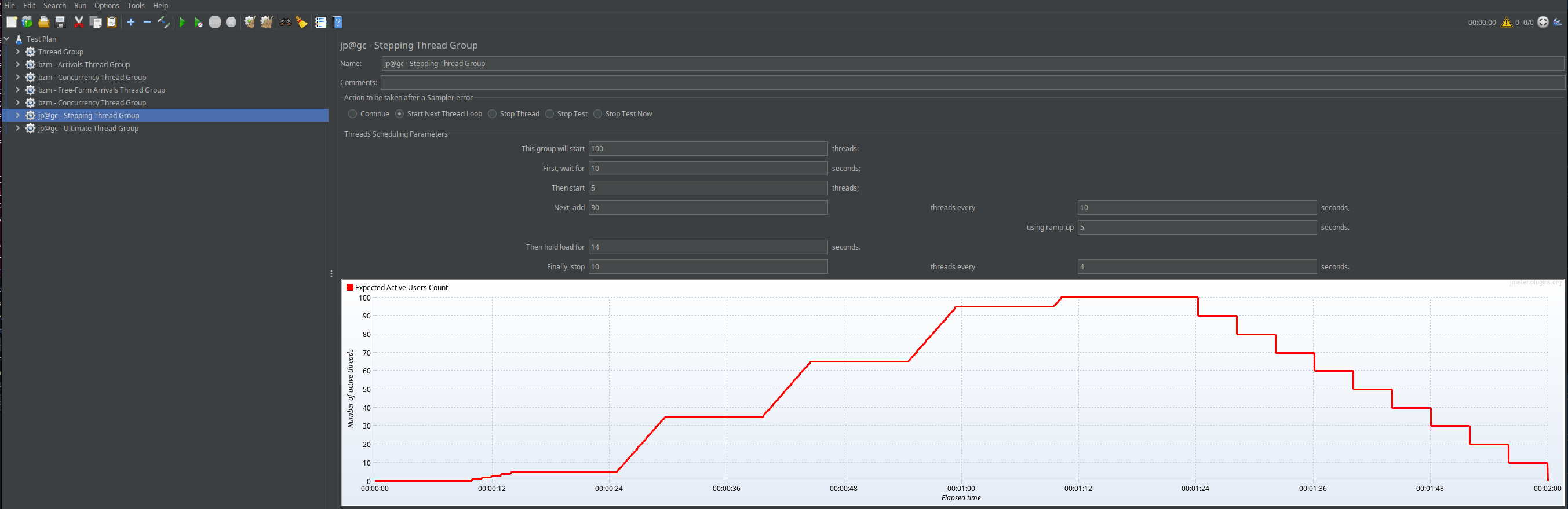
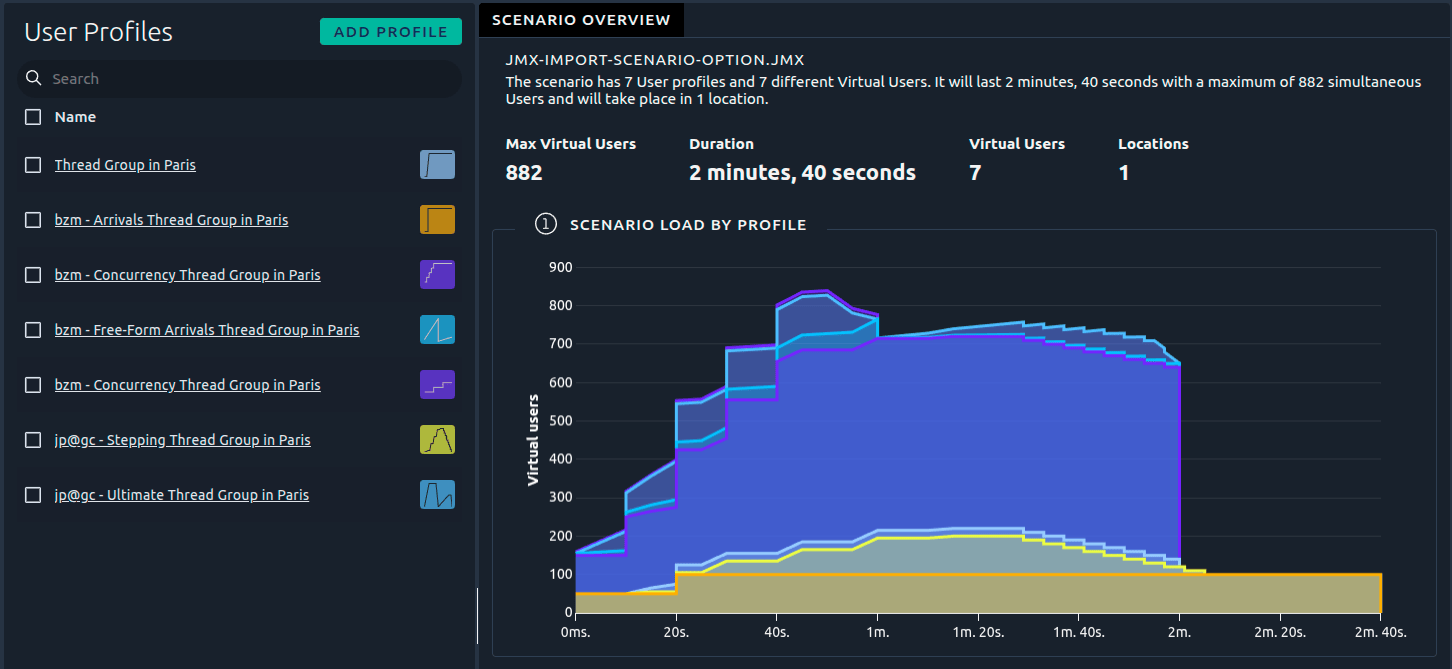
Each Thread Group in your JMX file becomes a dedicated User Profile in OctoPerf. This one-to-one mapping ensures your load distribution remains exactly as designed in JMeter.
Scenario Consolidation
Instead of managing multiple test configurations, all your Thread Groups are consolidated into a single, unified scenario. This makes it easier to run complex tests with multiple load profiles in one go.
Intelligent Thread Group Conversion
OctoPerf supports a wide variety of JMeter Thread Group plugins, and the import handles them all:
- Classic Thread Group: Direct conversion with user count, ramp-up, and duration,
- Ultimate Thread Group: Multi-step load profiles with precise timing,
- Stepping Thread Group: Gradual load increase patterns,
- Concurrency Thread Group: Target throughput-based configurations,
- FreeFormArrivals Thread Group: Custom arrival rate patterns,
- Arrivals Thread Group: Rate-based load generation.
For arrival-based Thread Groups, OctoPerf applies Little's Law (L = λ × W) to convert them appropriately, using a default response time of 1000ms for the calculation.
Demonstration
Let's walk through a practical example of importing a JMX file with the new Scenario option enabled. A sample JMX file is available here: jmx-import-scenario-option.jmx.
Check these blog posts if you need assistance with JMeter plugins:
Step 1: Start the Import Process
Navigate to your project and click on Import JMX from the Virtual Users section.
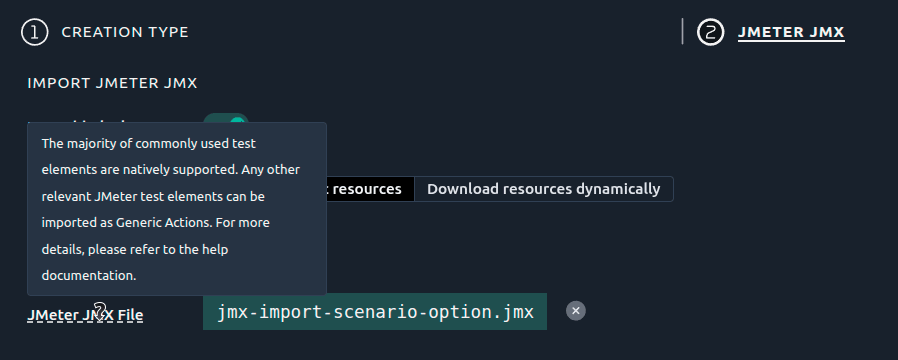
Step 2: Enable the Import Scenario Option
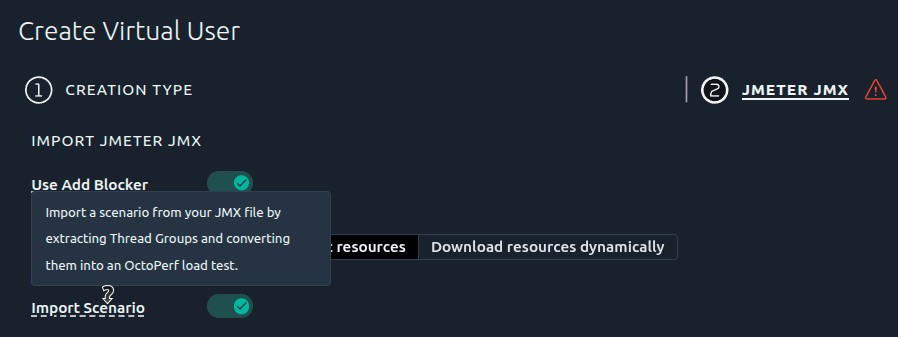
In the import dialog, you'll now see a new checkbox: Import Scenario. Enable it to import both the design and runtime configuration.
Step 3: Upload Your JMX File
Select your JMeter JMX file and confirm the import. OctoPerf will analyze the file and begin the import process.
Step 4: Review the Generated Scenario
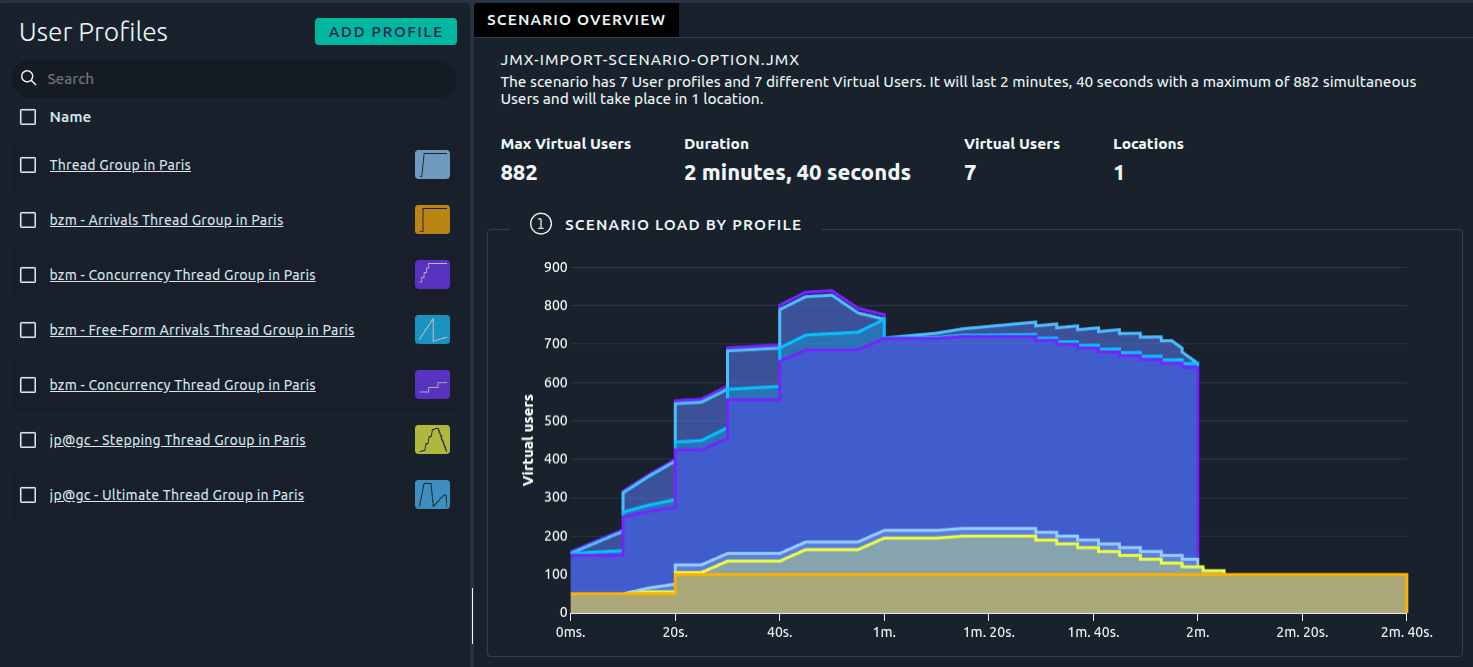
Once the import completes, navigate to the Scenarios section. You'll find a newly created scenario containing all your Thread Groups converted into User Profiles.

Step 5: Review User Profiles
Each Thread Group has been converted into a dedicated User Profile with its specific load configuration: number of users, ramp-up period, and duration.
Step 6: Fine-Tune and Launch
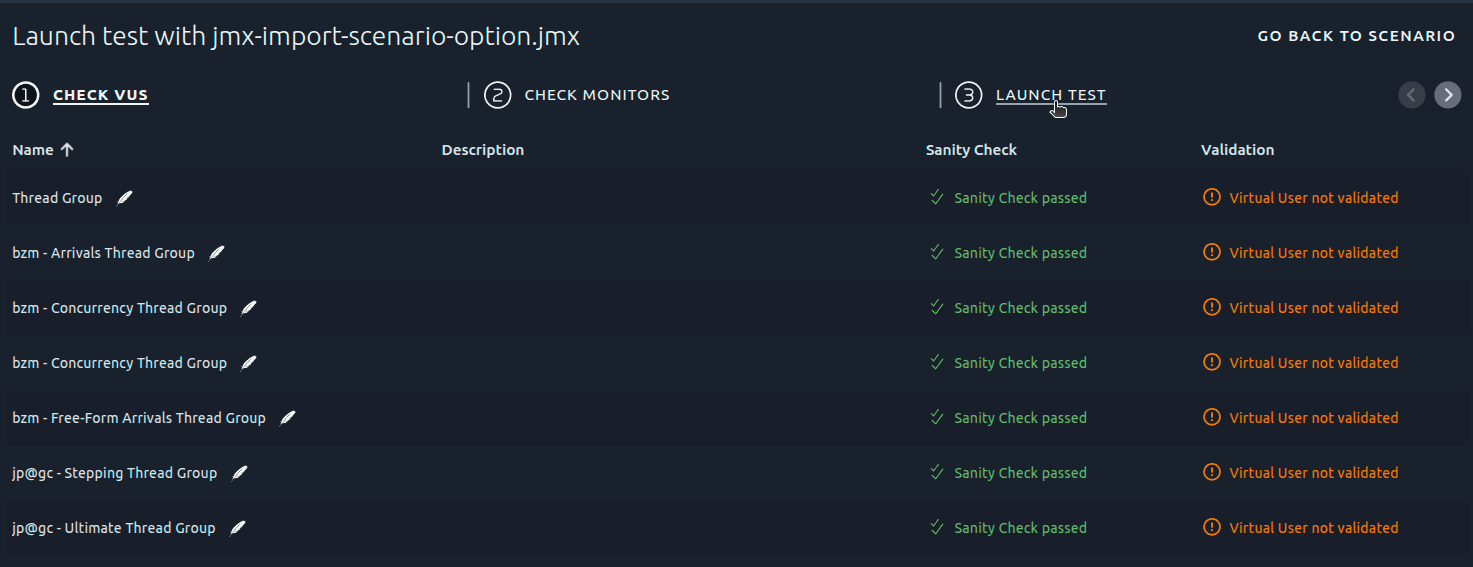
The scenario is ready to run, but you can still customize it further: adjust geographical distribution, modify load profiles, or add monitoring integrations. When you're satisfied, launch your test directly.
When to Use This Feature
The Import Scenario option is perfect for:
- Migrating from JMeter: Bring your entire test suite, including runtime configuration, in one step,
- Sharing Tests: Exchange complete test configurations with team members who use different tools,
- Quick Replication: Rapidly duplicate JMeter tests in OctoPerf without manual scenario setup,
- Continuous Integration: Automate test imports from JMeter scripts maintained in version control for example using OctoPerf maven Plugin.
Getting Started
Ready to try the new Import Scenario option? Here's what you need:
- A valid JMX file with one or more Thread Groups,
- An OctoPerf account (free usage tier available),
- A few clicks to import both design and runtime configuration.
The feature is available now for all OctoPerf users. Simply enable the Import Scenario checkbox during your next JMX import.
Conclusion
This enhancement represents another step in making performance testing more accessible and efficient. By eliminating the manual work of recreating scenarios after JMX imports, we're helping teams move faster from test design to execution.
Whether you're migrating from JMeter or working in a hybrid environment, the Import Scenario option ensures your runtime configuration travels with your test scripts - exactly as it should.
Give it a try and let us know what you think. As always, we're here to make your performance testing journey as smooth as possible.
Ready to import your complete JMeter scenarios? Start using OctoPerf today and experience the streamlined workflow.